
How to Sell Grab and Go Balloons Online Without an Ecommerce Site
In This Post
- Why You Do Not Need an Ecommerce Site to Sell Grab and Go Balloons Online
- What Your Customers Actually See When They Order
- How to Set Up Grab and Go in HoneyBook, Step by Step
- The Three Settings Most Balloon Artists Miss
- Where This Link Goes on Your Website
- Grab and Go Questions I Get All the Time
- Ready to Send People Straight to Your Grab and Go?
If you are a balloon artist trying to figure out how to sell grab and go balloons online, here is the good news: you almost certainly already pay for the software that does it. You do not need Shopify, you do not need an ecommerce add on for your website, and you do not need a second monthly subscription.
If you use HoneyBook to send contracts and invoices, you can build your entire grab and go shop inside it, then link to it from your website with one button. Customers pick their balloons, choose their pickup time, sign, and pay in one sitting, and the order lands in your account as a real project instead of a screenshot buried in your DMs.
Key Takeaways
- You can sell grab and go balloons online through HoneyBook without any ecommerce platform.
- Build each item as a service with unit pricing so garlands can price per foot and helium can price per balloon.
- Add a services block, a scheduler for pickup, and an invoice so the whole order finishes in one file.
- Your website is what sends people there, so the button and the page around it matter as much as the shop itself.
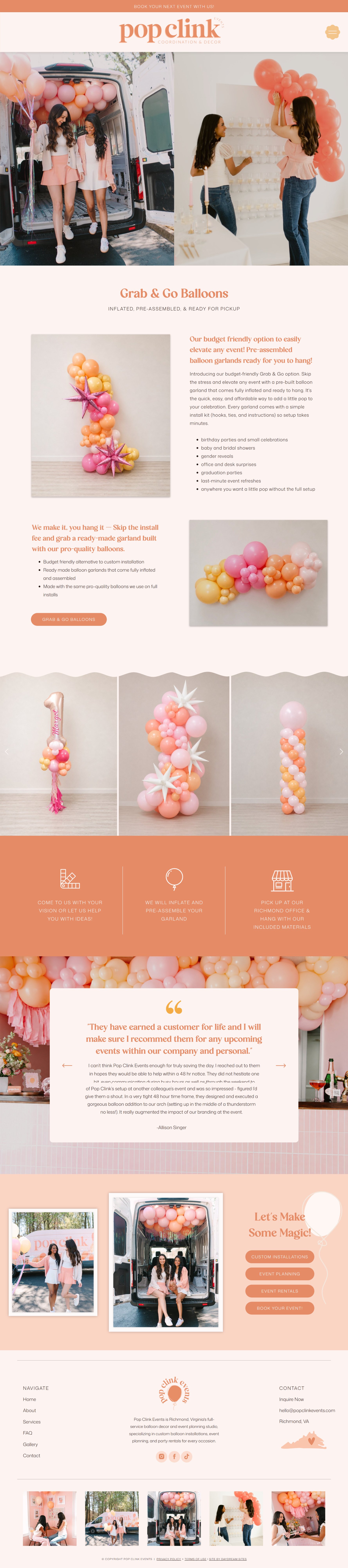
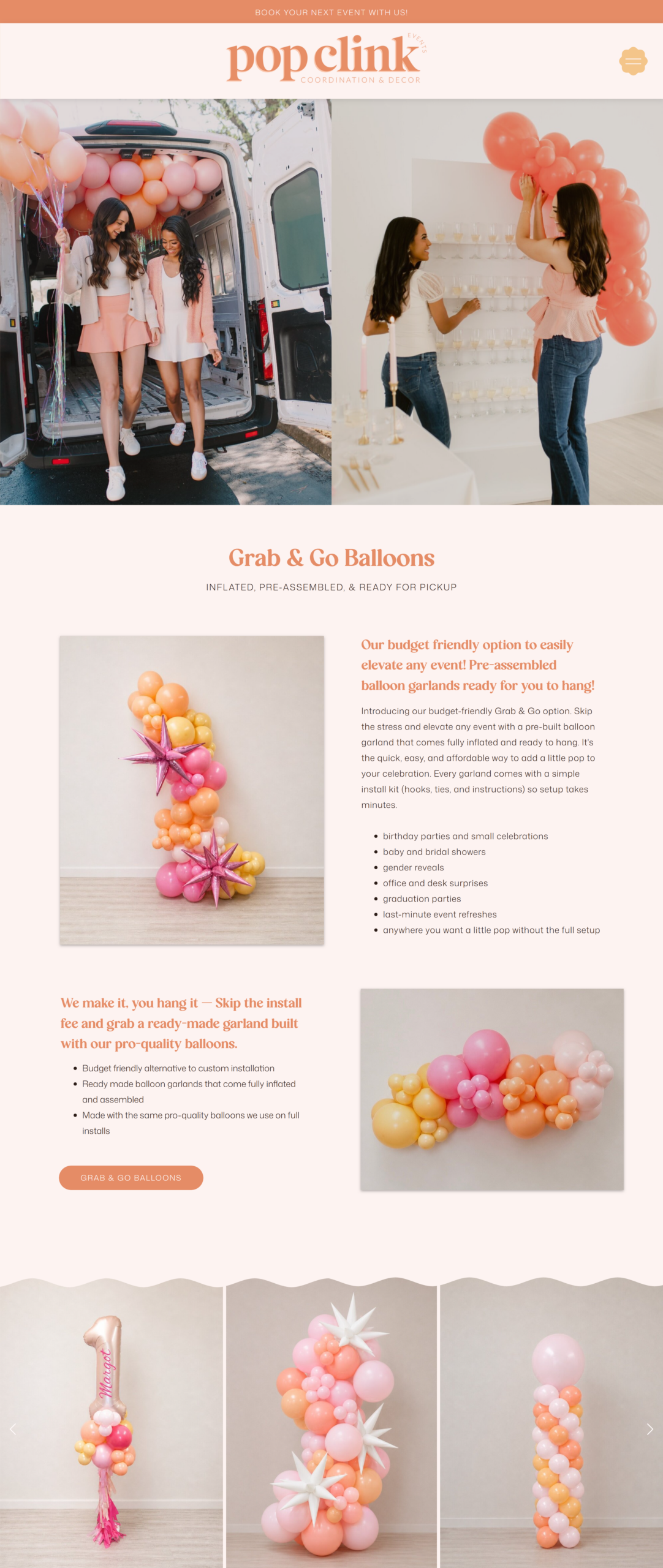
And this is the real thing, no mockup here! Pop Clink Events, a Richmond, VA balloon business, sells grab and go exactly like this.
Why You Do Not Need an Ecommerce Site to Sell Grab and Go Balloons Online
Ecommerce platforms are built for shipping boxes. Grab and go balloons are not boxes. They are inflated the morning of, they get picked up in a specific window, they sometimes need a size guide, and half the time the customer wants to swap a color!
That is a booking, not a shopping cart. And a booking tool handles it far better, because it already knows how to collect a signature, take a deposit or full payment, and put a time on your calendar.
There is also the cost. A separate store means another monthly fee, another login, and another place your pricing goes stale when you raise it, which I walk through in how to raise your prices as a balloon artist.
Keeping grab and go inside HoneyBook means your custom installs and your grab and go orders live in the same place, so your income, your contracts, and your client history are all in one account. If you are not on HoneyBook yet, you can start your HoneyBook trial here and build this in an afternoon.
What Your Customers Actually See When They Order
This is the part that surprises people, because it does not look like a form. It looks like a shop.
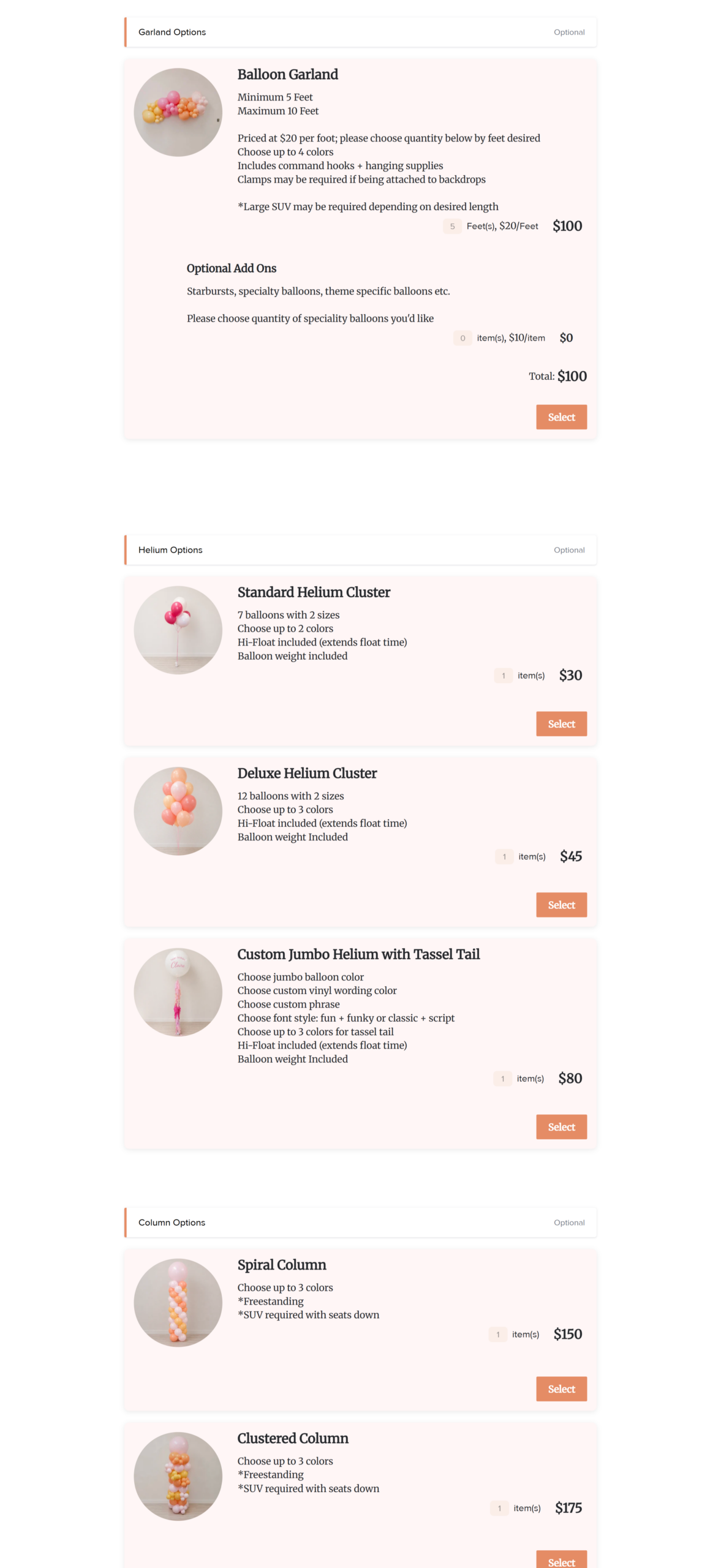
Your customer opens one link and lands on a page with your pickup details at the top, then your menu of grab and go items with photos and prices. They tap the garland, choose eight feet, add a helium bouquet, and watch the total update as they go. Then they pick a pickup window, agree to your terms, and pay.
HoneyBook keeps a running selection summary in the file navigation bar so they can see their choices at any point, and the invoice at the end reflects exactly what they picked. Nobody has to email you to ask what the total is.
How to Set Up Grab and Go in HoneyBook, Step by Step
Here is the full build. It is six steps, and none of them require a developer.
Step 1: Build your menu in the Services hub
Go to Services in your HoneyBook navigation and add a service for every grab and go item you sell. A balloon garland, a helium bouquet, a jumbo balloon with tassels, a mosaic number, a foil letter.
For each one you can set the name, the description, a photo, and the unit price. This is where the magic happens for balloon artists, because unit pricing means a garland can price per foot and helium can price per balloon, and HoneyBook does the multiplication for you.
Add your add ons as their own services too. Specialty balloons, personalization, a color upgrade.
Step 2: Create the smart file and add a services block
Create a new smart file, then add a services block and pull in the items you just built. In the block settings you will choose how your customer interacts with the list, which is what turns a price list into a menu.
Step 3: Put your pickup rules right at the top
Before the menu, add a text block with your pickup location, your pickup days and times, how quickly you confirm an order, and where to email with questions.
This one block saves more time than anything else in the build, because it answers the questions that currently arrive as DMs at nine at night. Every sentence you write there is a conversation you do not have to have.
Step 4: Add a scheduler for the pickup window
Add a scheduler as the next page so customers choose their own pickup slot from the windows you actually work. If you only do pickups Wednesday through Friday from eleven to three, that is all they will be able to choose, which protects your install days.
Step 5: Add the invoice and payment step
Add an invoice as the final page of the same file. Because it sits downstream of your services block, everything your customer selected flows into it automatically and the grand total accounts for their choices.
One little setup note that trips people up: when your invoice is built from customer selections, your payment schedule has to use dynamic amounts like a percentage or an even split rather than a fixed dollar figure. That makes sense once you see it, since HoneyBook cannot know in advance whether someone is ordering five feet of garland or ten. Set it to one hundred percent due at booking and grab and go becomes pay in full at checkout, exactly like a store.
If you want a contract on grab and go orders, and I recommend one for anything involving pickup and transport, add a contract step before the invoice so your terms and the order details stay matched up.
Step 6: Get your link and save it as a template
Once the file is built, open it and use the share option to copy the link. That is the URL you will put behind your website button, and it is the same kind of link you have probably clicked on another balloon business site without realizing what it was.
Then save the whole thing as a file template so you can duplicate it for seasonal drops. Your Valentine collection, your graduation collection, your Mother’s Day bouquets. Build it once, copy it forever, and you will be so glad you did when December arrives!
The Three Settings Most Balloon Artists Miss
These are the ones I end up fixing when someone tells me their grab and go file is not working the way they pictured.
Selection options. This decides whether your customer picks one item or several. Grab and go should almost always be set to select multiple, because you want someone adding a helium bouquet to their garland order without starting over.
Clients can customize quantity. This toggle lives on the individual service, and it is what lets someone choose their own footage. You can set a minimum and a maximum, so a five foot minimum and a ten foot maximum keeps orders inside what you can actually pre assemble!
Clients must make a selection. Turn this off on your add on section so nobody gets stuck at a page of optional extras they do not want. Leave it on for the main menu so an empty order cannot reach your inbox.
You can see how HoneyBook documents all three in their help article on how clients interact with services in a file, which is worth a skim while you build.
Where This Link Goes on Your Website
A link in your Instagram bio is not a shop. Instagram does not replace a website, and I say that as someone whose clients keep proving it. The Party Pond booked huge balloon installations with the Tampa Bay Rays and the University of South Florida, and both of those organizations found her through Google search, not through the explore page. A corporate buyer looking for forty balloon bouquets for a staff appreciation day is typing into Google, and if you only exist on Instagram, they never find the link at all.
So give the shop a real home on your site:
- A Grab and Go item in your main navigation, not buried under Services.
- A dedicated grab and go page that explains what it is, shows real photos of your pre assembled work, lists your pickup windows, and then sends people to the HoneyBook link.
- A button on your services page so anyone comparing options can see grab and go next to custom installs.
- Your bio link and a story highlight, which are great as a bonus and terrible as your only option.
This is what that real pre assembled work looks like once it is photographed well, using Pop Clink Events’ own Grab + Go garlands as the example.


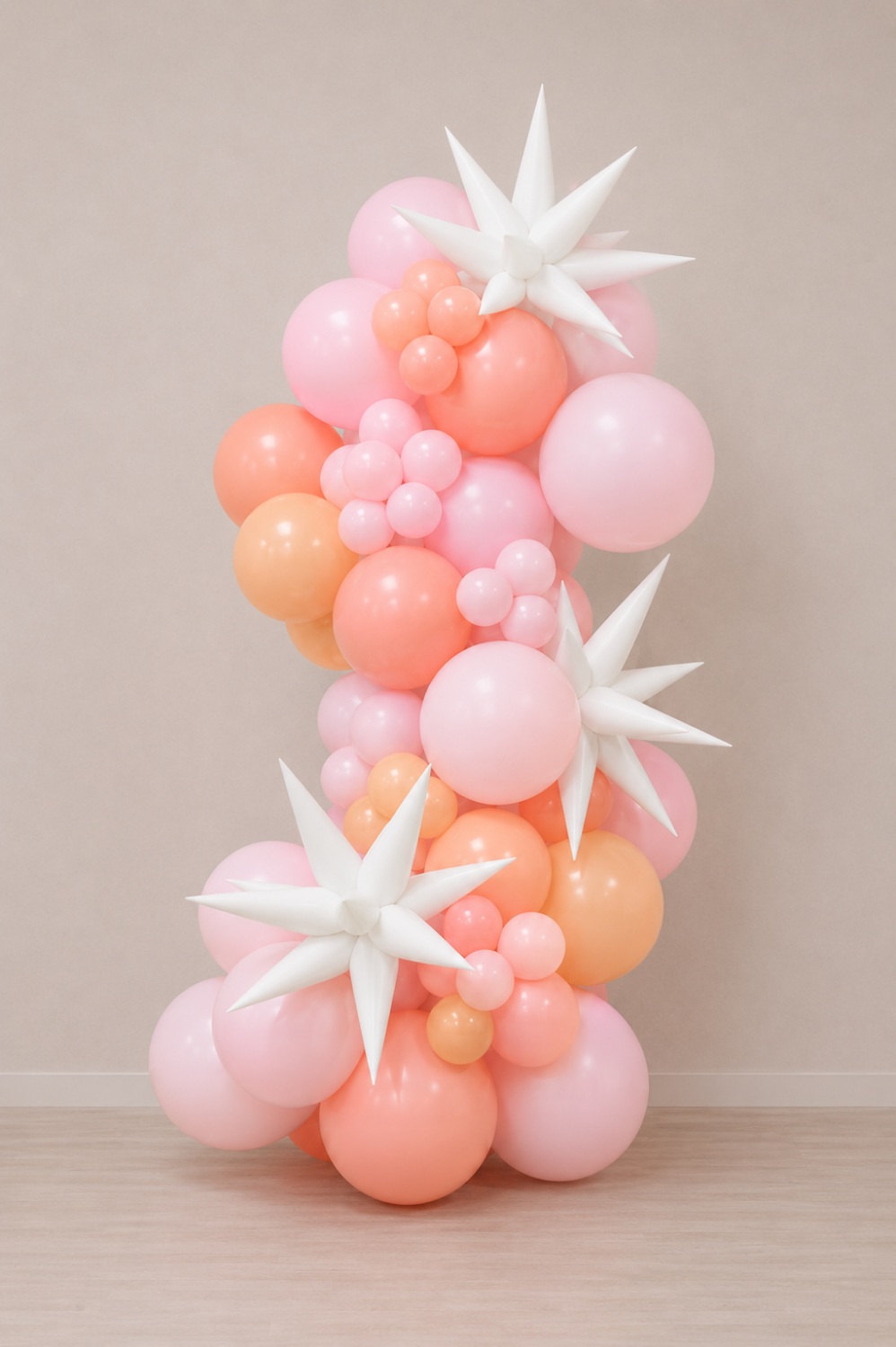
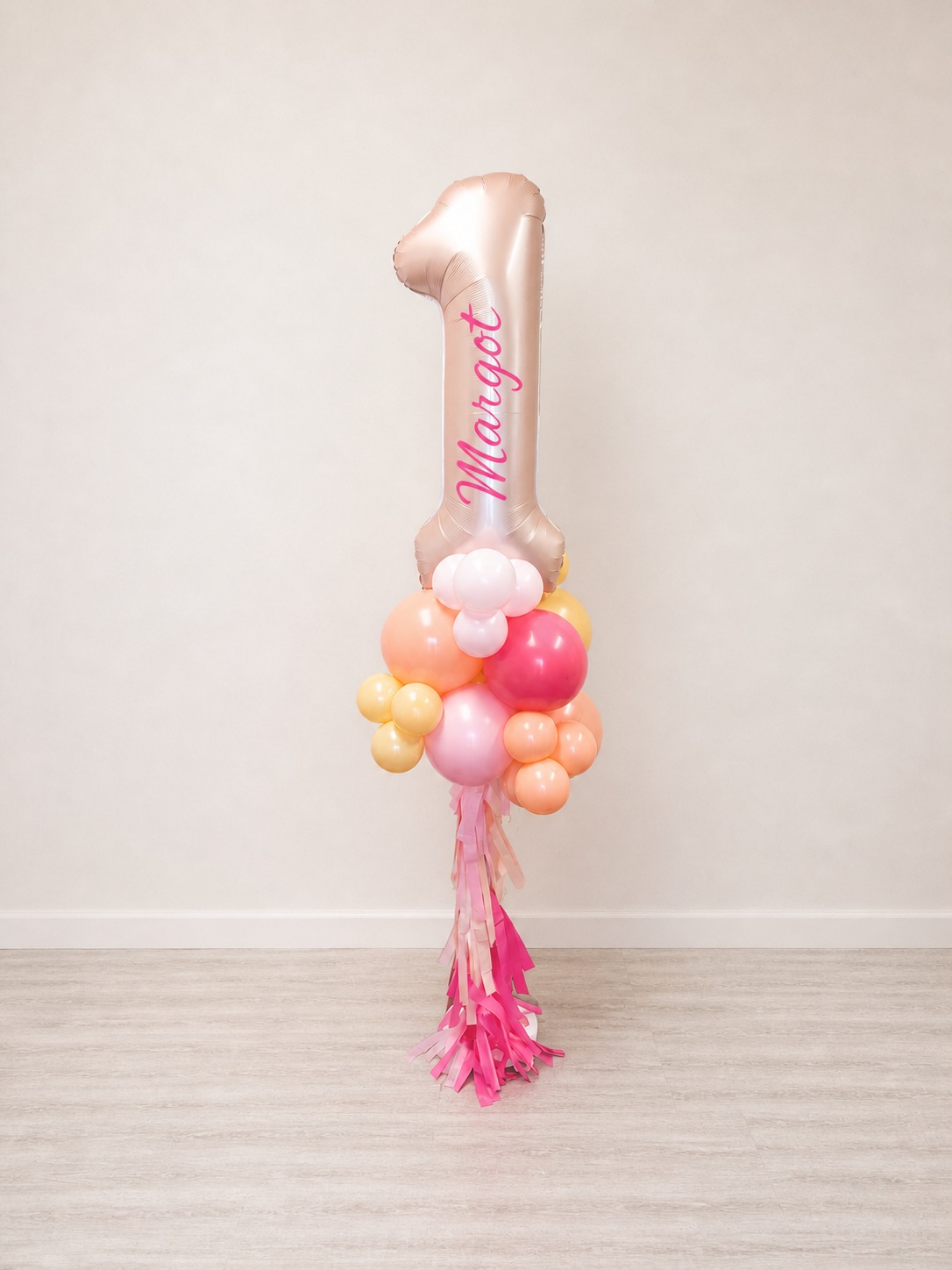

Pop Clink Events’ Balloon Photoshoot.
That dedicated page is the piece that earns you traffic. Somebody searching for balloon garland pickup in your city can land there, and that is a whole category of orders that never touches your DMs. If you want to go deeper on that, I broke it down in how to rank your balloon business higher on Google.
All of the Daydream Sites templates already have a grab and go layout built in, so you are not designing that page from scratch. The Party Planner is my most popular one for balloon businesses, and if you would rather I handle the whole thing, the Website in a Week option builds it out with the SEO Accelerator included so the page can actually be found.
Grab and Go Questions I Get All the Time
Can customers really pay through HoneyBook without an ecommerce site?
Yes. HoneyBook processes the payment when your customer submits the file, so the whole order finishes in one visit. The money lands the same way it does for your install bookings.
How do I handle per foot pricing for garlands?
Set the unit price on the service itself, then turn on the option that lets customers customize quantity and give it a minimum and maximum. Someone choosing eight feet sees the total for eight feet automatically.
What if I want different collections for different holidays?
Save your finished file as a template and duplicate it. Swap the photos, the item names, and the pickup dates, and you have a new seasonal shop in about twenty minutes.
Do I still need a website if the ordering happens in HoneyBook?
You do, and honestly this is where the money is. HoneyBook handles the transaction beautifully, but it is not going to rank on Google. Your website is what gets found for searches like balloon garland pickup near me, and then it hands that person to your shop.
Ready to Send People Straight to Your Grab and Go?
The balloon artists who love this setup are the ones who are ready to stop quoting the same order over and over and would rather spend that time inflating. It takes an afternoon to build and it keeps paying you back every single weekend, which is my favorite kind of project!
If you want a website that makes your grab and go impossible to miss and gets found by the people already searching for it, let’s work together.
You can also come hang out on Instagram @daydreamsites, where I share client launches, template walkthroughs, and the small changes that turn a pretty site into a booked one.
I cannot wait to see your grab and go orders start rolling in!
View comments
+ Leave a comment
|