
Does Your Bounce House Rental Website Pass the 5-Second Test?
Table of Contents
- Does a Bounce House Rental Business Actually Need a Website?
- What Pages Does a Bounce House Rental Business Website Need?
- What Makes a Bounce House Rental Website Actually Convert?
- How to Get Your Bounce House Business to Show Up on Google
- Should You Build Your Bounce House Website Yourself or Hire Someone?
- Frequently Asked Questions
If you run a bounce house rental business, your website is your booking engine. A well-built bounce house rental business website tells potential clients what you have, makes it easy to reserve, and gives them enough confidence to hand over a deposit. A poorly built site, or no site at all, sends those clients straight to your competitor. This post walks through every page your site needs and what each one should actually say.
Key Takeaways
- A bounce house rental website needs clear inventory pages, transparent pricing, and a frictionless path to booking
- Local SEO gets your business in front of the right clients searching in your delivery area
- Your website works 24/7, even when you are out delivering and setting up
- Social media builds awareness, but only a real website builds the trust that converts browsers into paying clients
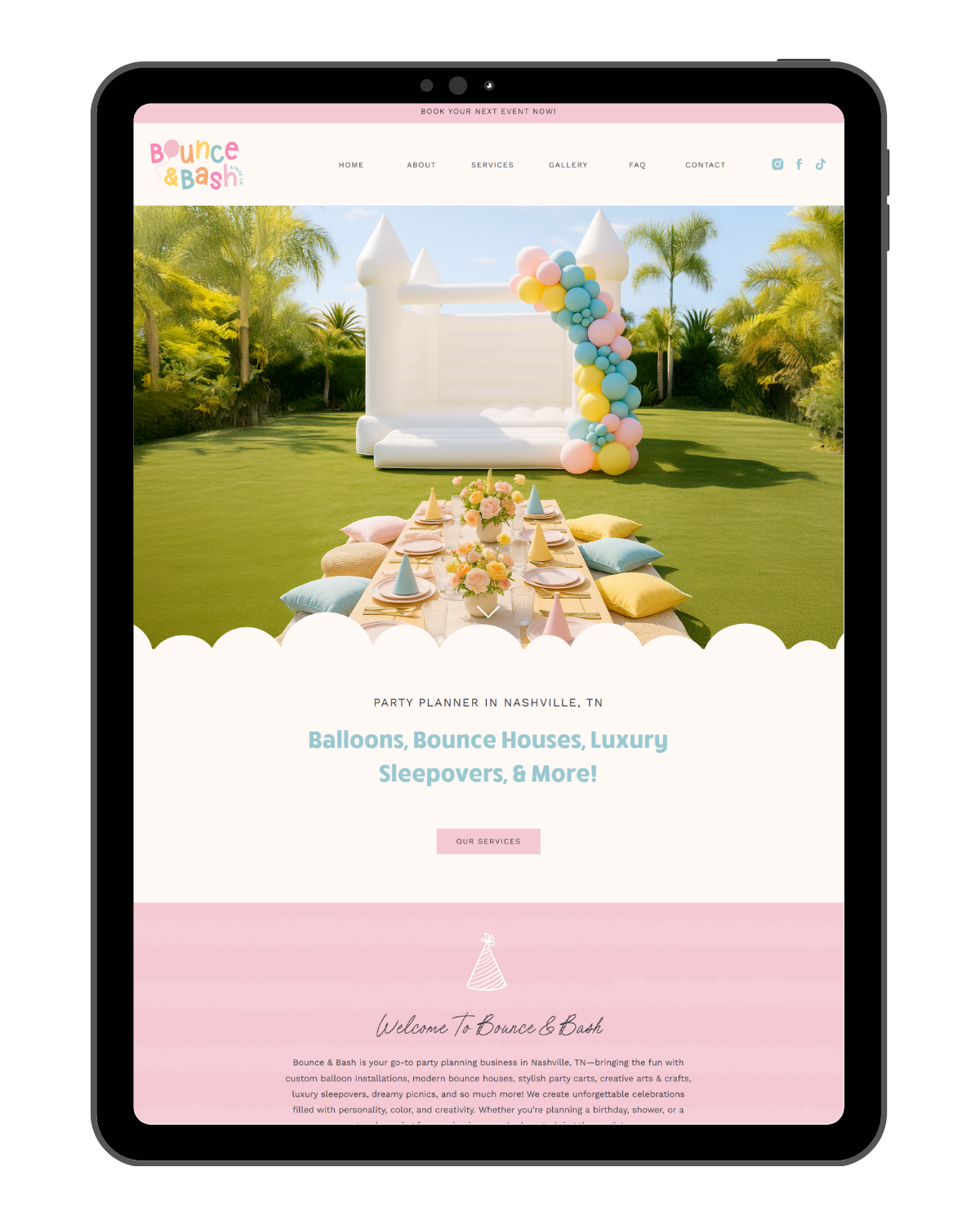
Does a Bounce House Rental Business Actually Need a Website?
Yes, and not just a Facebook page or a marketplace listing.
When someone searches for a bounce house rental, they are on Google. They want to know what equipment you have, roughly what it costs, how to reserve, and whether your business is trustworthy. A Facebook page can answer some of that. A bounce house rental business website answers all of it, with no algorithm deciding when to show it and no competitor listed right beside you.
Marketplace platforms generate some business, but they commoditize what you offer. Every listing looks the same. Your website is where you get to stand apart, where your pricing, your safety record, your reviews, and your personality all work together to earn the booking.
Here is what a lot of bounce house business owners miss: the clients with the biggest budgets are not scrolling Instagram. The Party Pond, a Tampa Bay party business, booked massive installations with the Tampa Bay Rays and the University of South Florida! Both organizations found them through Google search, not social media, not referrals. Corporate clients and institutions search Google with specific terms. If your bounce house rental business is not showing up in those results, those bookings go to someone who is.
If you want a rental business that books consistently from more than just referrals and word of mouth, your website is where that starts.
What Pages Does a Bounce House Rental Business Website Need?
Most bounce house rental websites are missing at least two or three of these. Every single one matters.
Home Page
Your home page needs to answer three questions immediately: what do you rent, where do you deliver, and how do I book? Your service area should be visible without scrolling. If someone has to hunt for whether you service their zip code, they are already gone.
Inventory or Rentals Page
This is the heart of your site. List every unit with a photo, dimensions, capacity, and any setup requirements such as flat ground or minimum clearance height. The more detail you give upfront, the fewer back-and-forth emails you handle later. Clients want to picture exactly what is showing up before they commit.
About Page
People rent from businesses they trust, especially when a large inflatable is going into their backyard with their kids. Your About page is where you build that trust. Talk about how long you have been in business, how you clean and inspect your equipment between rentals, and whether you carry liability insurance. Stating that clearly on your site matters more than most rental business owners realize. Many clients will not book without it.
FAQ Page
Your FAQ page does double duty. It handles the most common objections before someone leaves your site, and it is one of the best pages on your site for local SEO. Questions like “Do you deliver and set up?” and “What happens if it rains on the day of our party?” are exactly what your potential clients are Googling. Answering them on your site puts you in front of those searches.
Gallery
Recent, clear photos of your equipment at real events. Keep it current. A gallery full of photos from five or six years ago tells visitors you have not updated your inventory or your site in a long time, which raises questions before you even have a chance to answer them.
Contact or Booking Page
Make this dead simple. An inquiry form, your phone number if you answer it, your email address, and your delivery area. If you use HoneyBook or Jotform for booking, embed it directly on this page. Do not make someone click through three screens to figure out how to hire you.

What Makes a Bounce House Rental Website Actually Convert?
Building the right pages is step one. Getting those pages to turn visitors into paying clients is a different skill. Here is what separates a bounce house rental website that fills the calendar from one that just sits there:
- Clear pricing, or at minimum a starting price. You do not have to list every add-on and delivery fee. But “starting at $X” tells a client immediately whether they are in your price range, without making them fill out a form to find out. Hiding cost entirely usually hurts conversions more than it helps them.
- Trust signals placed prominently. Google reviews, liability insurance confirmation, years in business, safety certifications. These belong on your home page and your inventory page, not buried in the footer where no one sees them.
- A mobile-first design. Most people searching for bounce house rentals are doing it from their phone. If your site looks sharp on desktop but falls apart on a small screen, you are losing bookings daily. Every page needs to load cleanly and look intentional on mobile.
- Fast load times. Large, unoptimized images are the most common reason small business websites load slowly. Every photo on your site needs to be compressed before it goes up. Slow sites lose clients before they even see what you offer.
How to Get Your Bounce House Business to Show Up on Google
A well-designed site that nobody finds does not fill your calendar. Getting found on Google for “bounce house rental [your city]” is about local SEO. Here is what that looks like in practice:
Google Business Profile
This is the map listing that appears when someone searches “bounce house rental near me.” It is free, and it often gets clicked before your website does. Fill it out completely: service area, hours, photos, a clear description, and most importantly, start collecting reviews consistently. Businesses with a steady stream of recent, detailed reviews consistently outrank those without them.
On-Page SEO
Use your city name and service throughout the key pages on your site. Your home page, about page, and inventory page should all say specifically where you operate. “Bounce house rentals in Charlotte, NC” ranks better than “bounce house rentals near you” because Google needs geographic signals to show you to the right local searchers.
Service Area Pages
If you deliver to multiple cities or counties, writing about each one specifically gives you a much stronger chance of ranking in those areas. This is one of the most effective tactics for local businesses and one of the most skipped, and it is part of what the SEO Accelerator covers.
Consistency and Time
Anyone promising you a first-page Google ranking in 30 days is lying. Real local SEO foundations take months to mature. What you build today, with accurate location data, well-written page copy, and steady Google reviews, compounds into consistent organic inquiries 3 to 6 months from now! That is not a limitation. That is how it actually works.
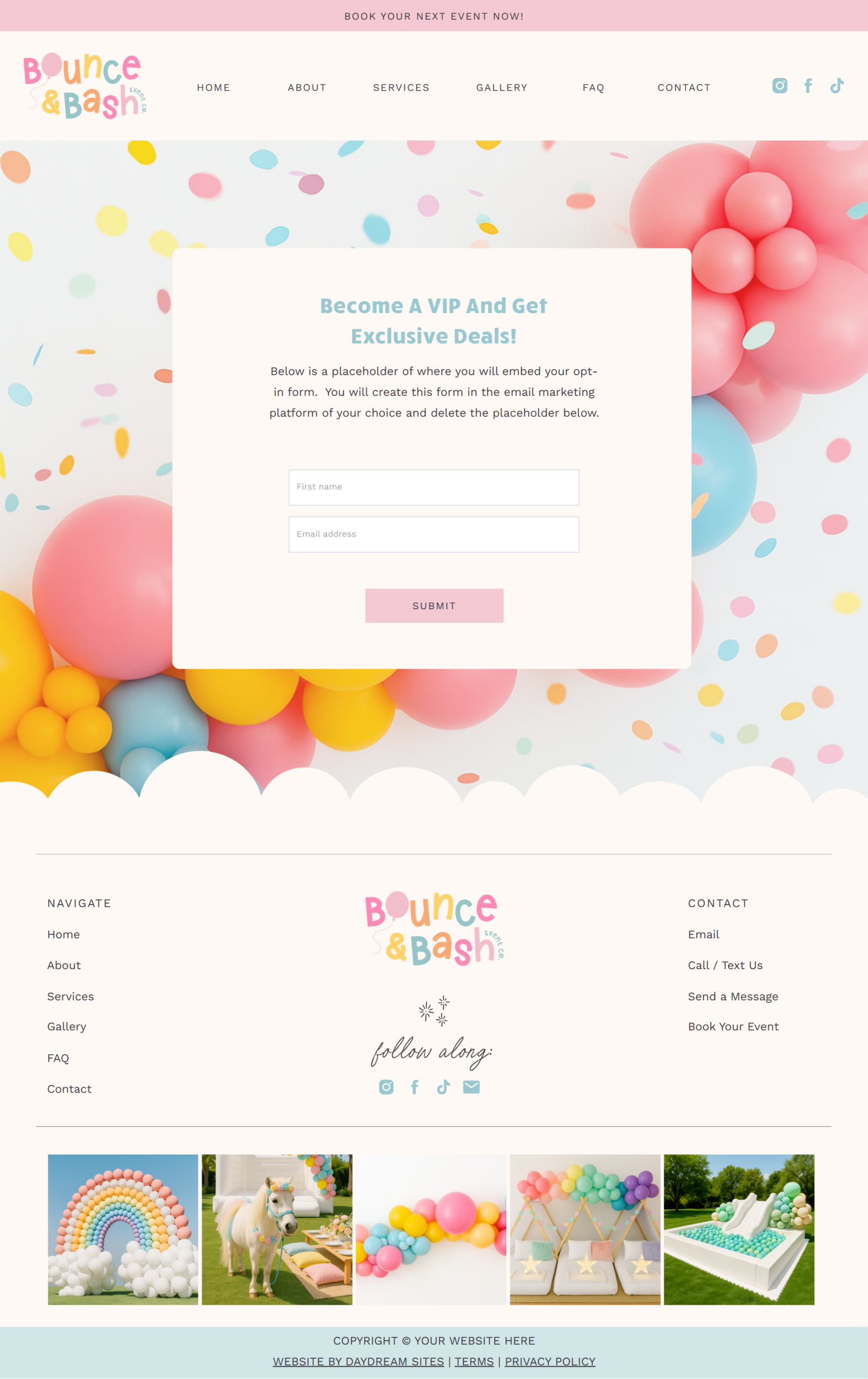
Should You Build Your Bounce House Website Yourself or Hire Someone?
That depends on where you are in your business and what you need right now. But before you answer that, here is one worth settling first: which platform.
Showit is the right choice for bounce house rental businesses that want design freedom and real SEO power. Wix and Squarespace lock you into rigid templates with more limited SEO options, and their blog functionality is weak compared to what Showit delivers through its direct WordPress connection. Showit also has real human customer support, not a help center you get lost in. For a business where you need to showcase inventory, highlight service areas, and build local authority in Google search, Showit consistently outperforms the alternatives.
If you are brand new or on a tight budget: A Showit website template is the most affordable path to a professionally designed site without starting from scratch. Templates include tutorial videos, and let you customize every detail with drag-and-drop editing. The Party Planner template is a strong starting point for bounce house and party rental businesses.
If you are established and ready to grow: The Website in a Week package gives you a fully customized Showit site built on a template, plus the complete SEO Accelerator included. That means competitor analysis, keyword research, metadata optimization, and a Google Business Profile audit, all delivered in under a week. Payment plans are available.
If you want everything handled at once: The Signature Offer adds full branding (main logo, secondary logo, submark, color palette, and font pairings) to the website and SEO. If you want to go from “I made this logo in Canva” to a polished, professional business presence in three to four weeks, that is the package. Payment plans are available.
My people are the ones who want to invest once, do it thoroughly, and then watch it pay them back all year! A website that actually ranks on Google and converts visitors into bookings takes real strategy and time. That is not a limitation. That is exactly why it works.
Frequently Asked Questions
What website platform should I use for a bounce house rental business?
Showit. It gives you total design control, connects directly to WordPress for blogging and SEO-powered content, and has real human customer support. Wix and Squarespace lock you into rigid layouts with more limited SEO options. For a business where you need to showcase inventory, highlight service areas, and build local authority, Showit is the stronger platform.
Do I need an online booking system on my bounce house website?
At minimum, an inquiry form is non-negotiable. For full online booking with deposits, HoneyBook works well and can be linked directly from your Showit site! For ecommerce with full online payments, a connected Square or Shopify setup is a solid option.
How long does it take to build a bounce house rental business website?
With a Showit template, most business owners finish their DIY build in two to three weeks when they put the time in. The Website in a Week package delivers a fully built, SEO-ready site in under a week.
How much does SEO cost for a bounce house rental business?
The SEO Accelerator is a one-time setup, with no ongoing monthly retainer. It covers keyword research, metadata for six pages, competitor analysis, image optimization, and a Google Business Profile audit. Payment plans are available.
Does my site need to show pricing?
Not every line item, but some transparency helps. “Starting at $X for a 4-hour rental” filters out clients who are not in your price range and builds trust with those who are. Hiding cost entirely tends to hurt conversions more than it protects them.
Ready to build a bounce house rental business website that actually fills your calendar? Browse the Daydream Sites template shop to start with a professionally designed foundation, or reach out to learn more about the Website in a Week or SEO Accelerator.
If you have been putting this off, you are in very good company. Almost everyone does, right up until the day they do not. When you are ready, let’s work together and we will map out what yours needs. You can also follow along on Instagram @daydreamsites, where I share client launches and behind the scenes. Cheering you on, whatever you decide!


X